Resources for Smarter Restaurant Operations
Practical insights, technology guidance, and support resources to help you run a stronger, more profitable restaurant.
Payments: Stop Letting Processing Fees Eat Your Margin
Restaurant margins are already thin—often just3–5% for full-service restaurants. Yet payment processing can cost1.5–3.5% of every card transaction.
That means processing fees can take a surprisingly large bite out of your bottom line.
The good news?Not every part of that fee is fixed.
Where Your Processing Fees Go
Every card transaction generally includes three components:
- Interchange: Paid to the card-issuing bank. This is largely fixed.
- Assessment fees: Paid to Visa, Mastercard, Discover or Amex. Also largely fixed.
- Processor markup: What your payment provider charges on top.This is where you have the most opportunity to save.
The key is knowing what you're actually paying—not just the promotional rate you were quoted.
Your Effective Rate Is What Matters
A processor may advertise a rate like2.6% + 15¢, but that doesn't necessarily reflect your true cost.
Youreffective rate is simple:
Total processing fees ÷ total card sales = your actual processing rate
Look closely at your statement for monthly fees, PCI fees, batch fees, gateway charges and other add-ons. They can quietly push your real rate much higher.
Interchange-Plus vs. Tiered Pricing
Withtiered pricing, transactions are placed into different pricing categories, making it harder to see exactly what you're paying.
Interchange-plus pricing passes through the actual card costs and adds a clearly defined processor markup. That transparency makes it easier to understand, compare and negotiate your processing costs.
For many restaurants, it's worth asking:"What is my markup, and is my pricing truly interchange-plus?"
How Nexus Enterprise Systems helps:
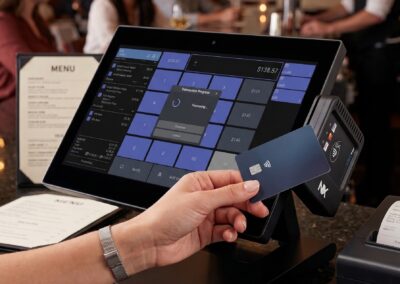
Nexus Enterprise Solutions brings payments directly into your POS, keeping sales, payments and reporting in one system.
That means fewer reconciliation headaches, greater visibility into your costs and the ability to supportcompliant cost-offset programs when appropriate.
Depending on your situation, options may include:
- Cash discount programs
- Dual pricing
- Card surcharging
These programs can help restaurants recover some or all of their processing costs—but they must be implemented correctly and in compliance with applicable card-network rules and state laws.
Take Five Minutes to Check Your Statement
Pull your latest processing statement and:
- Calculate youreffective rate.
- Identify yourpricing model.
- Look for unnecessary or negotiable fees.
You may discover that you're already getting a competitive deal—or that there is significant room to reduce your costs.
Processing fees won't disappear. But the right pricing structure and payment strategy can put more of your hard-earned revenue back where it belongs: on your bottom line.
The Nexus Enterprise Systems Advantage
One POS. One payment solution. One place to manage your business.
Nexus Enterprise Systems helps you take control of payments instead of letting processing fees control your margins.
What Should You Look for in a Restaurant POS System?
Choosing a Restaurant POS System
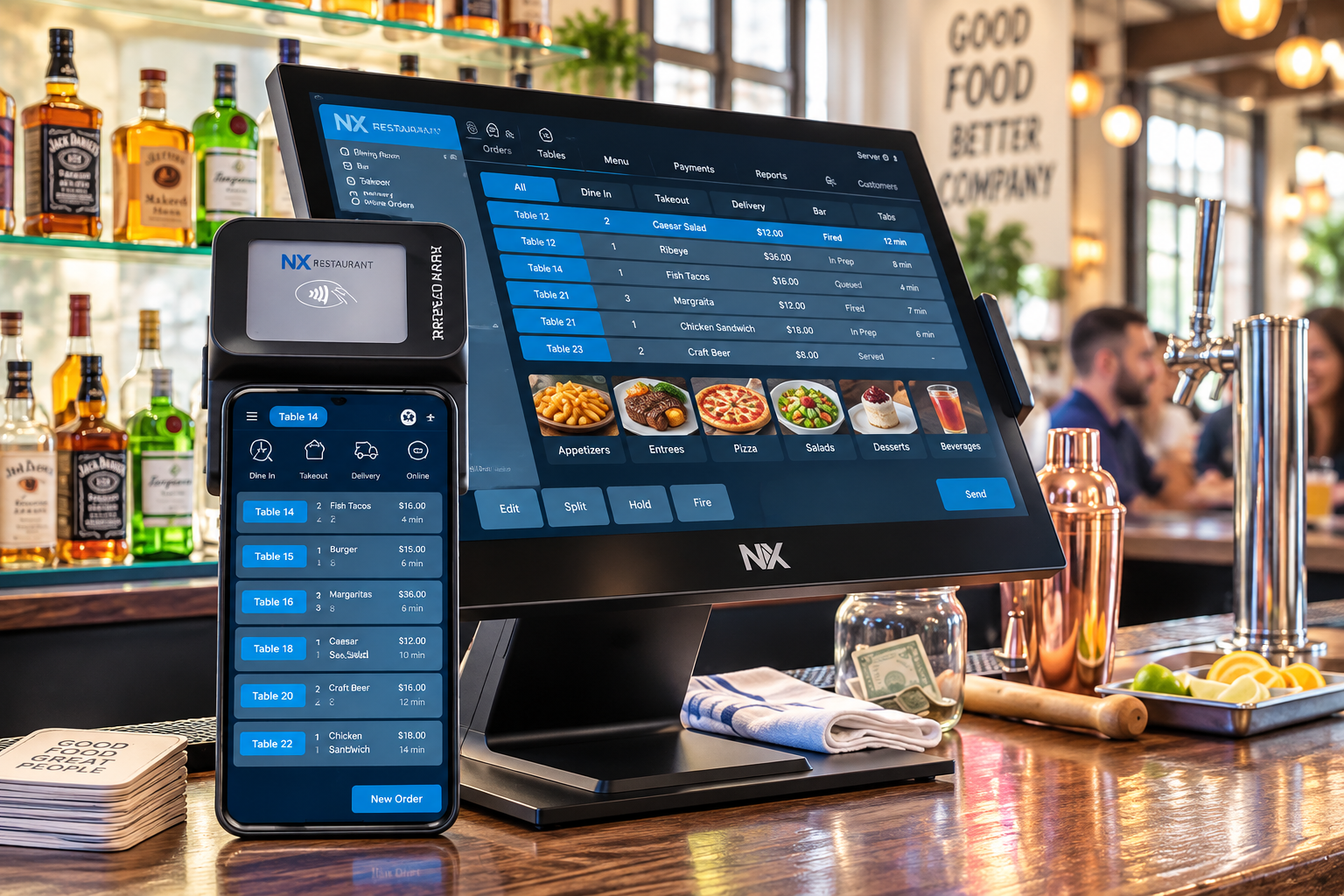
A restaurant POS system should do more than process orders and payments. It should connect the technology your restaurant relies on every day, make operations easier for your team, and give you the information you need to run the business.
Whether you're opening a new restaurant or replacing an existing system, here are some of the most important things to consider.
1. Easy, Reliable Order Entry
Your POS is at the center of restaurant operations. Servers and cashiers should be able to enter orders, make modifications, split checks, apply discounts, and process payments quickly without navigating a complicated system.
A system that's easy to learn can also reduce training time when new employees join your team.
2. Integrated Kitchen Operations
Look for a POS that can communicate directly with your kitchen.
Kitchen Display Systems (KDS) can route orders to the appropriate preparation stations, improve communication between the front and back of house, and help your kitchen manage order flow during busy periods.
Keeping your POS and kitchen technology within the same ecosystem can also reduce the number of disconnected systems your staff has to manage.
3. Online Ordering That Connects to Your POS
Online orders shouldn't require employees to re-enter orders from another tablet.
An integrated online-ordering solution can send orders directly into your restaurant's POS and kitchen workflow, helping reduce manual entry and giving employees fewer devices to manage.
4. Integrated Payment Processing
Payment processing is an important part of the POS decision.
Ask potential providers how processing is structured, what fees may apply, whether there are long-term agreements or cancellation fees, and how payments integrate with the POS.
Understanding thetotal cost of processing, rather than focusing only on an advertised rate, can help you make a more informed comparison.
5. Reporting You Can Actually Use
Restaurant owners need more than a daily sales total.
A good POS should provide access to useful information such as sales trends, labor, menu performance, payment activity, and other operational data.
If you operate more than one restaurant, centralized reporting and management can become especially important.
6. Loyalty and Guest Engagement
Integrated loyalty and marketing tools can help restaurants build stronger relationships with returning guests.
Instead of managing a completely separate loyalty platform, look for technology that can connect guest activity, rewards, and restaurant operations.

Multi-location restaurant ops: the playbook for scaling without losing control
Opening a second location doesn't double your operational complexity. It squares it. The systems that felt effortless when you could see the whole floor from the expo line, a quick word to correct a comp, a glance at the schedule taped by the office, a mental note that the walk-in is running low, all quietly fall apart the moment you can't be in two dining rooms at once. Growth is supposed to be the reward for building something that works. Too often it becomes the thing that exposes how much of "what works" was actually living in your head.
The operators who scale cleanly aren't the ones who hire faster or hustle harder. They're the ones who move their standards out of their heads and into their systems before they open the next door. This is the playbook for doing that: what breaks first, why standardization is the whole game, and how a multi-unit point-of-sale turns five restaurants into one operation you can actually see.
What actually breaks when you open location two
The first thing to go is consistency, and it goes quietly. Location one prices a burger at 16.50; location two, set up by a different manager on a rushed Tuesday, has it at 16.00 with a different modifier tree. A 50-cent gap across a few hundred covers a week is real money, but the bigger cost is that your reporting no longer compares apples to apples. When the same menu item has two IDs, you can't answer a simple question like "how many burgers did we sell this month" without exporting two files and reconciling them by hand.
The second thing to go is visibility into behavior. At a single unit you feel the voids and comps because you're standing there. Across multiple units, a manager who comps 4 percent of sales looks identical on paper to one who comps 1 percent, until you go looking. Discounts, voids, refunds, and no-sale drawer opens are where margin leaks and where the occasional integrity problem hides. If you can't see them per location, per employee, in near real time, you're managing on a delay measured in weeks.
The third is labor. Each location drifts toward its own scheduling habits, its own idea of what a "normal" labor percentage is. One store runs 28 percent, another 34 percent, and without a common yardstick nobody flags the gap until the monthly P&L lands.
Standardization: the multiplier that decides whether you scale or sprawl
Standardization has a bad reputation because operators confuse it with rigidity. It isn't about making every location identical. It's about deciding, deliberately, which things must be the same everywhere and which things are allowed to flex. Menu structure, item IDs, modifier logic, tax configuration, and your discount and void reason codes belong in the "same everywhere" column. Local pricing, staffing levels, and a handful of regional menu items belong in the "allowed to flex" column.
The reason this matters so much is leverage. When your menu is built once and inherited by every location, a price change is one edit, not five. When your void reasons are standardized, "wrong item fired" means the same thing in every store and you can actually total it. When your labor categories match, a district manager can compare stores in one view instead of translating between three different setups. Standardization is what makes centralized reporting possible in the first place; without it, every "rollup" is really a manual reconciliation.
The practical rule: standardize the data layer ruthlessly, and let the guest-facing experience flex where the market demands it. A modern restaurant point-of-sale platform is built to enforce exactly this split, with a shared configuration that pushes down and location-level overrides that stay in bounds.
Running every location from one screen
Once your data is standardized, centralized reporting stops being a spreadsheet chore and becomes a control panel. The goal is a single view that answers the questions a multi-unit operator actually asks: Which locations beat forecast today? Where is labor as a percent of sales trending the wrong way? Who is running high on comps this week? Which store's average ticket is slipping?
The operators who run tight multi-unit groups check three things daily, not monthly. First, sales versus the same day last week, per location, so a soft Tuesday shows up as a signal instead of a surprise. Second, labor percentage by location against a shared target, so drift gets corrected inside the week it happens. Third, the exception report: voids, comps, discounts, and drawer variances flagged by store and by employee. None of this requires you to be on-site. With a companion mobile app, the owner or district manager sees live sales, labor, and alerts from anywhere, which is the difference between managing five restaurants and merely owning them.
The payoff is speed. A problem you can see on the day it starts costs a fraction of the same problem discovered on the month-end statement. Centralized reporting doesn't just save you time; it shortens the distance between a mistake and its fix.
Pushing a single menu change to every location
Here's the test that separates a real multi-unit system from a stack of single-store setups glued together: you decide to raise the price of one item, or 86 it for a supply outage, or add a limited-time special across the group. In a fragmented setup, that's a phone tree, a manager at each store making the edit by hand, and three of five getting it slightly wrong. In a centralized system, you make the change once at the group level and it propagates to every location, every register, and every online ordering channel at the same time, with local exceptions preserved where you've allowed them.
How Nexus handles it
Build the menu once at the group level and push it to every location, register, and online ordering channel at once. Location-level price and item overrides stay preserved where you allow them, so a group-wide change never wipes out a store's local exceptions.
That single capability compounds across everything you do: seasonal menu swaps, tax updates, new modifier options, happy-hour windows. The work of running five locations starts to feel closer to the work of running one, because the leverage lives in the system instead of in your calendar.
Scaling without losing control isn't about controlling more. It's about building the standards once, so the system holds the line while you go open the next door.

Why Local POS Support Matters for Restaurants
Why Support Matters as Much as the Technology
Restaurant technology plays a critical role in daily operations, but even the best technology is only part of the equation. When something goes wrong—or you simply need help—the quality of your support can make a significant difference.
Before choosing a restaurant POS provider, it's important to understand not only what the system can do, butwho will be there to help you after it's installed.
1. When Your POS Goes Down, Your Restaurant Doesn't Stop
Restaurants operate on tight schedules. A POS issue during a busy lunch or dinner service can affect order entry, payments, kitchen communication, and the guest experience.
When support is needed, waiting hours for a callback or explaining your restaurant to someone unfamiliar with your system can make a stressful situation worse.
Responsive support from people who understand your restaurant and its technology can help get operations back on track faster.
2. Local Support Means Someone Understands Your Business
When your support team knows your restaurant, your equipment, and how your system was configured, troubleshooting can be faster and more effective.
Instead of starting from scratch every time you call, you're working with people who understand how your technology fits together—from the POS and payments to kitchen systems and online ordering.
That familiarity can make a major difference when every minute of downtime matters.
3. Installation Is Where Good Support Begins
Restaurant technology isn't simply something you plug in and start using. A successful installation requires understanding your menu, workflow, payment setup, kitchen operations, and the way your staff works.
Having experienced people involved in installation and configuration helps ensure the system is set up around your restaurant rather than forcing your restaurant to adapt to the technology.
The goal isn't simply to install a POS. It's to build a system that works the way your restaurant operates.
4. Training Your Team Matters
Even powerful restaurant technology won't deliver its full value if employees aren't comfortable using it.
Hands-on training gives managers and employees an opportunity to learn the system, ask questions, and understand the features they'll use every day. It can also help reduce confusion when the restaurant goes live with new technology.
Good training helps your team feel prepared from day one.
5. One Support Partner for Your Restaurant Technology
Modern restaurants rely on more than a POS. Payments, kitchen displays, online ordering, loyalty, reporting, handheld devices, and other systems may all play a role in daily operations.
When these technologies work together—and your support provider understands the entire environment—there are fewer places for problems to get passed from one company to another.
One connected restaurant ecosystem can mean fewer vendors to manage and one knowledgeable team to call when you need help.
6. Support Should Continue After Installation
The relationship with your technology provider shouldn't end when installation is complete. Restaurants change. Menus change. Employees change. New technology and payment requirements emerge.
Ongoing support gives restaurant owners and managers a resource when they need assistance, want to make changes, or have questions about getting more from their technology.
Your technology provider should be a long-term partner—not just the company that sold you the equipment.
Local Restaurant Technology Support in Arizona
Nexus Enterprise Systems provides restaurant technology and payment solutions backed by people who understand the businesses and communities we serve.
From POS installation and employee training to payments, kitchen technology, online ordering, loyalty, reporting, and ongoing support, we help restaurants build a connected technology environment designed around their operation.
We serve restaurants throughoutTucson, Phoenix, Scottsdale, Mesa, Chandler, Tempe, Gilbert, Southern Arizona, and communities across Arizona and beyond.
Restaurant Technology. Local People. Real Support.
Integrated vs. Bolt-On: Why Your Technology Ecosystem Matters
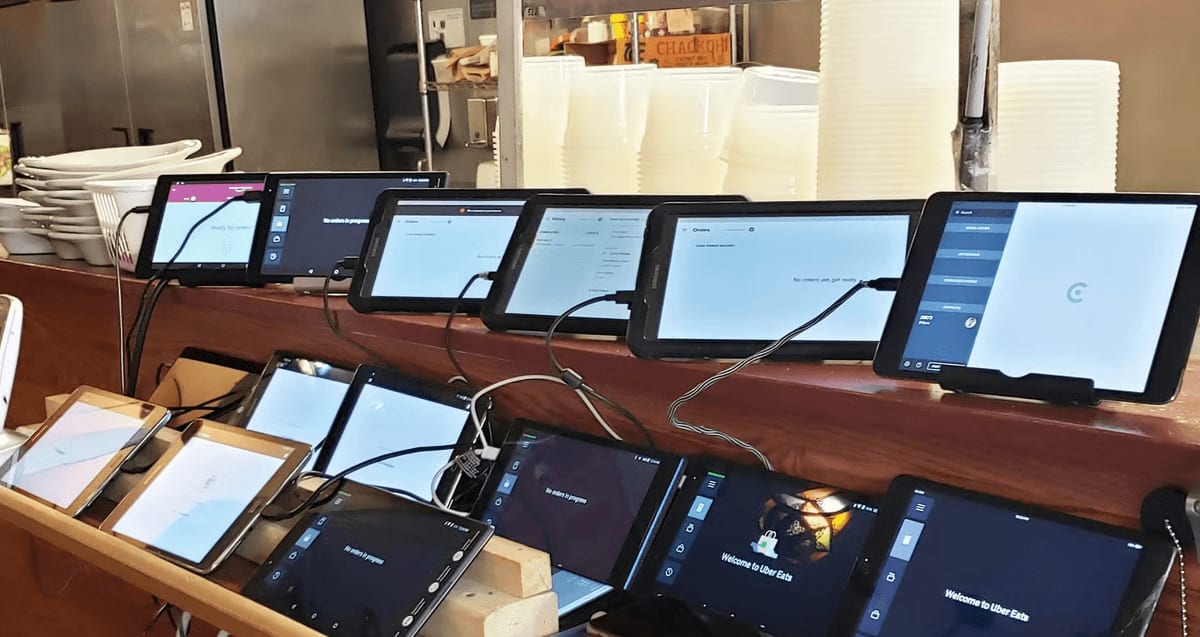
Restaurant technology often grows one piece at a time. Online ordering comes from one provider, loyalty from another, scheduling from another, and kitchen displays or payments from somewhere else.
Before long, operators can find themselves managing multiple logins, subscriptions, support contacts and systems that don't communicate with one another. Your POS knows what sold. Your loyalty system knows who bought it. Your scheduling system knows who was working—but the information lives in separate places.
The Hidden Cost of Disconnected Systems
The real cost of a fragmented technology stack goes beyond monthly subscription fees. Disconnected systems can create:
- Data silos — Important information is spread across different platforms, making it harder to see the complete picture.
- Extra staff work — Employees may have to re-enter orders, reconcile systems or move information manually from one platform to another.
- Additional integration costs — Connecting separate products can require middleware, API fees or additional subscriptions.
- More complicated support — When something goes wrong, multiple vendors may be involved in determining where the problem actually occurred.
- Inconsistent guest experiences — Loyalty, gift cards, online ordering and payments can become more complicated when each operates independently.
One Platform. One Connected Operation.
NX Restaurant takes a different approach. NX POS, NX Kitchen, NX Pay, gift cards, reporting and other restaurant tools are designed to operate within a connected ecosystem rather than as unrelated products.
That means order, kitchen and payment information can work together instead of relying on employees to bridge the gaps between separate systems.
Built to Work Together
NX POS manages orders and restaurant operations.
NX Kitchen connects kitchen production directly with POS activity.
NX Pay brings payments into the POS workflow.
NX Pay Flex provides integrated payment cost-offset options.
E-Gift Cards can be issued, tracked and redeemed within the NX ecosystem.
Reporting & Analytics brings operational information together for clearer visibility.
A Better Question to Ask
When another technology subscription comes up for renewal, don't just ask whether that individual tool is worth the price.
Ask:
“Would we still need this separate system if our core restaurant platform handled it for us?”
The goal isn't to have more restaurant technology. It's to have technology that works together.
One platform. Less complexity. Better visibility. Local support from Nexus Enterprise Systems.

Restaurant Payment Processing: What Owners Should Know About Fees
Understanding Restaurant Payment Processing Fees
Accepting credit cards is essential for most restaurants, but understanding what you're actually paying to process those transactions isn't always easy.
Processing statements can include interchange costs, processor markups, monthly fees, equipment charges, and other expenses. Knowing what these charges mean can help restaurant owners evaluate their true processing costs and make better decisions.
1. Start With Your Effective Processing Rate
The advertised processing rate doesn't always tell you what you're actually paying.
One useful way to evaluate your costs is to compare your total processing expenses with your total card sales. This gives you a clearer picture of the effective rate you're paying across all transactions.
Understanding your total cost is more important than focusing on one advertised rate.
2. Understand Interchange and Processor Markup
Not every processing fee goes to your payment processor. Card networks and issuing banks have underlying costs associated with accepting card payments.
Your processor's pricing and markup are added to those costs depending on your processing program.
A transparent provider should be able to explain where your processing costs are going.
3. Watch for Additional Fees
Processing costs can extend beyond the transaction rate. Depending on the provider and agreement, businesses may encounter monthly fees, statement fees, equipment charges, PCI-related fees, gateway costs, or other charges.
Restaurant owners should review the entire processing agreement rather than evaluating a provider based solely on a headline rate.
Ask what you'll pay—not just what rate you'll receive.
4. Understand the Contract Before You Sign
Before selecting a processor, ask about contract length, cancellation provisions, equipment agreements, and any other ongoing commitments.
A processing program that initially looks inexpensive may become costly if it includes unnecessary fees or makes it difficult to change providers.
Straightforward terms can be just as important as competitive pricing.
5. Make Sure Your Payments Work With Your Restaurant Technology
Payment processing shouldn't operate separately from the rest of your restaurant.
When payments integrate directly with your POS, transactions can flow through the same system used for orders, reporting, and other restaurant operations. This can reduce manual processes and make reconciliation easier.
Your POS and payment processing should work together—not create another system for your staff to manage.
6. Security and Compliance Matter
Restaurants handle payment information every day, making payment security an important part of choosing a processing solution.
Ask potential providers how they approach payment security, PCI compliance, encryption, and modern payment methods such as EMV chip cards and contactless payments.
Protecting payment information should be built into your payment environment—not treated as an afterthought.
7. Service and Support Are Part of the Processing Decision
Price matters, but support matters too.
When you have a payment question, terminal problem, or processing issue during service, you need to know who you're going to call and how quickly you'll be able to reach someone who can help.
For restaurants, having a provider that understands bothpayment processing and restaurant technology can be particularly valuable.
The lowest advertised rate isn't necessarily the best value if you're left without support when you need it.
Choosing the Right Restaurant Payment Processing Partner
Before making a decision, look at the complete picture: rates, fees, contract terms, integration, security, equipment, and support.
Nexus Enterprise Systems helps restaurant owners understand their processing costs and evaluate payment solutions designed around the way their businesses operate.
We provide restaurant payment solutions throughoutTucson, Phoenix, Scottsdale, Mesa, Chandler, Tempe, Gilbert, Southern Arizona, and communities across Arizona, along withpayment processing solutions for businesses nationwide.
Straightforward Processing. Honest Pricing. Real Support.

The Real Cost of Restaurant Turnover — and What Technology Can Do About It
Restaurant turnover costs more than recruiting a replacement. Every departure means additional hiring, training and manager time—along with reduced productivity while a new employee gets up to speed.
There are also costs that are harder to measure. Experienced employees take valuable knowledge with them. Remaining staff absorb the extra workload. New employees need more assistance. And guests can feel the difference when a team is constantly training someone new.
When Technology Makes Training Harder
A complicated POS can make an already difficult staffing problem worse.
New employees shouldn't need weeks to become comfortable taking orders, adding modifiers, splitting checks or processing payments. Every extra hour spent learning complicated technology requires training time and often pulls experienced employees or managers away from other responsibilities.
Technology should make the job easier—not become another part of the job employees have to fight through.
Make the POS Easier to Learn
NX Restaurant is designed around familiar, intuitive workflows that help restaurant employees get comfortable with the system faster.
Familiar interface — Modern touchscreen navigation helps employees understand how to move through the system without constantly referring to a manual.
Visual modifier flows — Guided order entry makes it easier to enter modifications accurately and helps reduce new-hire mistakes.
Role-based access — Employees see the tools relevant to their jobs rather than navigating through functions they don't need.
Integrated tableside payments — Orders, split checks, tips and payments stay within the same workflow instead of requiring employees to move between separate systems.
Consistent operation — Similar navigation across functions means employees aren't learning an entirely different process every time they perform a new task.
Don't Forget the Kitchen
Training challenges don't stop at the front of the house.
NX Kitchen gives kitchen and expo teams clear digital tickets and consistent information directly from the POS. Instead of learning to interpret different order sources or relying on handwritten and printed tickets, employees work from a more organized kitchen workflow.
Better Tools Can Create a Better Workday
Easy-to-use technology won't solve restaurant turnover by itself. Pay, management, scheduling, culture and working conditions all matter.
But technology can remove unnecessary frustration.
When employees can take orders confidently, find modifiers quickly, process payments easily and get the information they need without fighting the system, the job becomes easier to learn and easier to perform.
That benefits new hires, experienced employees and managers alike.
One Question Worth Asking
When evaluating your restaurant POS, don't only ask:
“What features does it have?”
Also ask:
“How quickly can a brand-new employee become comfortable using it?”
A restaurant POS should help your team become productive—not become another obstacle they have to overcome.
Simpler training. Smoother shifts. Technology designed around the people who actually use it.
Online Ordering: Why Owning the Customer Relationship Matters
Why Direct Online Ordering Matters
Online ordering has become an important part of how customers interact with restaurants. But not every online order creates the same value for the restaurant.
When customers order through a third-party marketplace, the restaurant may gain the sale while having less control over fees, customer information, marketing, and the overall guest relationship.
A direct online-ordering channel gives restaurants another way to build relationships with their own customers.
1. Keep the Customer Connected to Your Restaurant
When guests order directly from your restaurant's website, they're interacting with your brand—not a marketplace filled with competing restaurants.
Your menu, promotions, loyalty program, and restaurant experience can remain front and center throughout the ordering process.
The goal isn't simply to receive an order. It's to turn that customer into a repeat guest.
2. Understand the True Cost of Every Online Order
Third-party ordering platforms can provide valuable exposure, but restaurants should understand the complete cost associated with those orders.
Commissions, service charges, promotional programs, delivery costs, and other fees can affect the profitability of an online sale.
A direct ordering option gives restaurants another channel where they can have greater control over how orders are received and processed.
More sales don't automatically mean more profit. Restaurants should understand what they keep from every order.
3. Customer Relationships Have Long-Term Value
Knowing who your customers are can help you build stronger relationships with them.
When your restaurant has access to appropriate customer information through its own ordering and loyalty systems, you can create opportunities for repeat visits, rewards, promotions, and more relevant communication.
Owning the customer relationship gives your restaurant the opportunity to earn the next order—not just today's order.
4. Online Orders Should Flow Directly Into Your POS
Online ordering shouldn't create more work for your employees.
When online orders integrate with your restaurant POS, orders can move directly into the restaurant workflow instead of requiring employees to monitor and manually re-enter orders from another tablet.
That can help reduce mistakes, save staff time, and simplify operations during busy periods.
Your online ordering system should eliminate extra steps—not create them.
Perfect — Sections 1–4 are in correctly, and the toggle is expanding normally. The bold closing statements look consistent with the other resources.
Add the rest in one batch:
5. Your Menu Should Be Easy to Manage
Menu changes shouldn't require updating multiple disconnected systems.
When online ordering is connected with your restaurant technology, changes to items, pricing, availability, and modifiers can be easier to manage and keep consistent across ordering channels.
This becomes especially important when an item sells out or a price needs to change during service.
One connected menu can mean fewer updates, fewer mistakes, and less work for your staff.
6. Loyalty and Online Ordering Work Better Together
A direct online-ordering experience becomes even more valuable when it connects with your restaurant's loyalty program.
Guests can earn rewards when ordering online and continue building their relationship with your restaurant whether they dine in, order takeout, or use another supported ordering channel.
Customers shouldn't have to choose between ordering online and earning loyalty rewards.
7. Convenience Still Has to Be the Priority
Customers expect online ordering to be fast and simple.
Your ordering experience should make it easy to browse the menu, customize items, select pickup or available fulfillment options, pay securely, and complete an order without unnecessary steps.
The easier the experience is, the more likely customers are to order directly again.
Direct ordering only works when it's convenient for the guest.
Build an Online Ordering Strategy Around Your Restaurant
Third-party marketplaces can be part of a restaurant's overall ordering strategy, but they don't have to be the only way customers order online.
A connected restaurant ecosystem can bringPOS, online ordering, payments, kitchen operations, loyalty, and reporting together so digital orders become part of your normal restaurant workflow.
Nexus Enterprise Systems helps restaurants implement connected technology throughNX Restaurant POS, including online ordering and the systems that support the entire guest experience.
We serve restaurants throughoutTucson, Phoenix, Scottsdale, Mesa, Chandler, Tempe, Gilbert, Southern Arizona, and communities across Arizona and beyond.
One Restaurant. One Connected Technology Ecosystem.